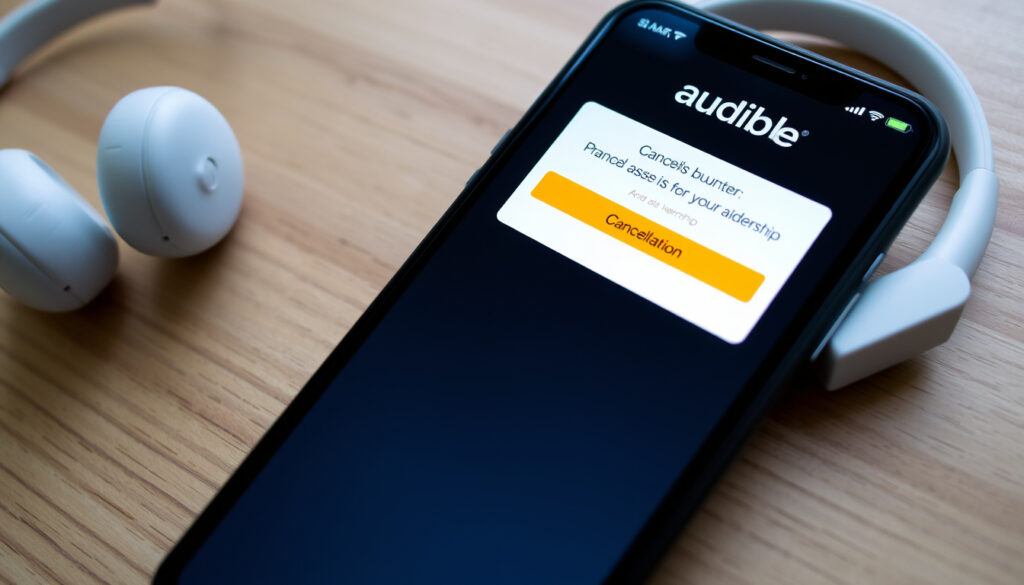
How to Cancel Audible Membership (Step-by-Step)
Trying to cancel your Audible membership from your phone? You’re not alone — and you’re about to hit a wall. Audible requires you to use a desktop website or your Amazon account to cancel, with no cancellation option inside the app.
Audible standard monthly fee: $14.95 ·
Cancellation platform required: Desktop website only ·
Cancellation via mobile app: Not available ·
Credits after cancellation: Expire immediately if unused ·
Deleting app cancels membership? No
Quick snapshot
- You cannot cancel Audible through the mobile app. (Audible Help)
- Cancelling does not delete your purchased audiobooks. (Audible Service Conditions of Use)
- Unused credits expire upon cancellation. (Audible Service Conditions of Use)
- Whether contacting customer support can reverse a charge after the refund window.
- Exact percentage of users who successfully cancel vs. those who keep membership after retention offers.
- Step 1: Log in to audible.com on a desktop browser. (Audible Help)
- Step 2: Click username → Account details. (Audible Help)
- Step 3: Select Cancel membership and confirm. (Audible Help)
- You keep all audiobooks purchased with cash or credits. (Audible Service Conditions of Use)
- Unused credits expire immediately. (Audible Service Conditions of Use)
- The app remains usable for owned titles, but membership perks are lost. (Audible Service Conditions of Use)
Five key facts about Audible membership cancellations show one consistent pattern: the process is intentionally restrictive and rewards those who use a desktop browser.
| Fact | Detail |
|---|---|
| Standard membership cost | $14.95 per month (1 credit per month) (Audible) |
| Free trial length | 30 days (Audible) |
| Cancellation method required | Desktop website or Amazon account (Audible Help) |
| Credit expiration on cancel | Immediate loss of all unused credits (Audible Service Conditions of Use) |
| App deletion effect | Does not cancel membership (Audible Help) |
The table reveals a subscription design where the cancellation gate is firmly locked to desktop access only.
How do I cancel my Audible subscription?
Step-by-step cancellation on the Audible website
- Log in to audible.com in a desktop browser. (Audible Help)
- Click your username in the top navigation and select Account details. (Audible Help)
- Scroll down and choose Cancel membership. (Audible Help)
- Follow the on-screen prompts to confirm. Some users report multiple confirmation screens. (Reddit discussion)
The implication: desktop users have a clear path, but anyone trying from a phone faces a deliberate blockade.
Cancelling through your Amazon account
- Go to Your Memberships and Subscriptions on Amazon. (YouTube walkthrough)
- Find Audible and select Cancel Membership.
- Confirm the cancellation. Your membership ends immediately after the current billing period.
The implication: cancelling via Amazon may be more straightforward than going through Audible’s own site, though both routes lead to the same retention offers.
Why can’t I cancel Audible on the app?
Audible’s app policy on cancellations
Audible does not allow cancellation through its mobile app. According to Audible Help, deleting the app does not cancel the membership. The official guidance directs users to the desktop site or to cancel via the Apple App Store or Google Play Store if the membership was originally billed through those platforms.
Why do they restrict app-based cancellation?
The restriction is partly a result of in-app purchase rules. Apple and Google require that subscriptions purchased through their stores be managed within those stores. However, for memberships billed directly by Audible, the company deliberately disables cancellation in the app. This pattern has been criticized as a dark pattern designed to reduce churn. A Reddit discussion reveals widespread frustration with the hidden cancellation flow.
Audible app users: you cannot cancel from the app. You must switch to a desktop browser. Deleting the app does nothing to stop charges.
The pattern: Audible uses platform rules as cover for a deliberate friction tactic designed to reduce membership cancellations.
How do I stop Audible from charging my card?
Preventing future charges before cancellation
Cancelling before the next billing date stops future charges. Audible’s Conditions of Use state that you will not receive a refund of fees already paid if you cancel. To avoid being charged after the free trial, cancel before the 30-day trial ends. Reminder: trial members are automatically charged a monthly subscription fee when the trial ends (Audible).
Requesting a refund after being charged
If you are charged after the trial or a renewal, Audible does not automatically refund the most recent charge unless it falls within the return window. Contacting customer service (Audible Help) may reverse a charge in some cases, but the policy is not guaranteed. Removing your payment method from the account does not cancel the membership.
Audible members who want to stop charges: the only reliable method is to cancel via desktop or Amazon before the next billing date. Contacting support may help, but don’t count on a refund.
The catch: pre-cancellation timing is everything — once charged, your odds of getting money back drop sharply.
Can you cancel Audible and still use it?
Access to purchased audiobooks after cancellation
Yes. According to Audible’s Conditions of Use, cancellation does not terminate access to purchased content. You keep all audiobooks bought with cash or credits. The Audible app can still be used to listen to owned titles. However, membership perks — such as credits, daily deals, and the Plus Catalog — are lost.
Using Audible credits and the app after canceling
Unused credits expire immediately upon cancellation (Audible Service Conditions of Use). So use any remaining credits before cancelling. The app remains functional for your existing library.
The trade-off: you keep your library, but you lose the monthly credit and access to the Plus Catalog. If you occasionally buy audiobooks, the membership may still be worth it.
Why does Audible make it so hard to cancel?
User frustration and hidden cancellation flow
Audible uses what critics call dark patterns: the cancellation link is buried under Account details, and the process includes multiple confirmation screens designed to discourage cancellation. A Reddit thread with hundreds of upvotes describes it as one of the hardest subscriptions to cancel. The company also presents retention offers during the flow, such as discounts or free credits, which may convince users to stay.
Comparison with other subscription services
Unlike Netflix or Spotify, where cancellation is a one-click process, Audible requires navigating away from the app to a desktop site. The process is intentionally longer than signing up. Public criticism has led to regulatory scrutiny in some regions, but for now, the pattern remains.
Audible’s cancellation flow is designed to reduce churn. For users who are determined to cancel, the key is to ignore retention offers and follow the desktop steps precisely.
The implication: Audible’s cancellation difficulty is not a bug — it’s a business strategy that prioritizes retention over user experience.
What we know for sure — and what’s still unclear
Confirmed facts
- You cannot cancel Audible through the mobile app. (Audible Help)
- Cancelling does not delete your purchased audiobooks. (Audible Conditions of Use)
- Unused credits expire upon cancellation. (Audible Conditions of Use)
What’s unclear
- Whether contacting customer support can reverse a charge after the refund window.
- Exact percentage of users who successfully cancel vs. those who keep membership after retention offers.
The unclarity list highlights the gaps Audible doesn’t volunteer — and those gaps work in the company’s favor.
What others are saying
“Deleting the app will not cancel your membership.”
— Audible Help
“I cannot believe how hard it is to cancel the Audible subscription. I’ve been trying for 20 minutes.”
— Reddit user
“Titles purchased with a credit are yours to keep forever.”
— Audible
“The desktop path is the fastest method. Start from audible.com in a browser.”
For Audible members in the U.S. who want to cancel, the choice is clear: use a desktop browser or Amazon account settings to avoid the app restriction, use up your credits first, and be prepared to navigate persistence screens. Trying to cancel via the app or expecting a refund after the charge is a recipe for frustration.
makeheadway.com, reddit.com, in.amazonforum.com, facebook.com
Frequently asked questions
How do I cancel Audible on an iPhone?
If you signed up through the App Store, you must cancel via your Apple ID subscriptions. If you signed up directly on Audible, you cannot cancel on the iPhone app; use a desktop browser.
Can I cancel Audible via email?
Audible does not offer cancellation by email. You must use the website or Amazon account.
Is there a cancellation fee for Audible?
No, there is no fee to cancel, but you will not receive a refund for the current billing period.
How long does it take for Audible cancellation to process?
Cancellation takes effect immediately after the current billing period ends.
Will I lose my audiobooks if I cancel Audible?
No, you keep all books purchased with credits or money.
Can I cancel Audible during a free trial?
Yes, you can cancel during the 30-day trial to avoid being charged.
How do I contact Audible customer service to cancel?
You can contact via chat or phone through the Audible Help page, but the representative may try to offer retention incentives.
Related reading: How to Cancel Audible Membership on Desktop Step by Step and How to Cancel Audible Membership on iPhone, iPad, or Android Through the App Store or Google Play
More related posts
 Monday Night Football Today: Who Plays, Time & Channel
 United Federal Credit Union – Rates, Membership and Locations Guide
 Putt Putt Near Me: Best Mini Golf in Ireland – Prices & Tips
 NFL News and Rumors: Patriots, Cowboys Trade Buzz
 Planets In Order From The Sun – 8 Planets Closest to Farthest
 United States Milano Cortina 2026 – Team USA Roster and Medal Guide
 Tung Tung Tung Sahur – Viral Ramadan Meme Explained